
trbrnt/Veil
Private, ad-free launcher for Google TV and Android TV. Works with Nuvio and Trakt.
Thành tựu nổi bật
Những danh hiệu mới nhất của dự án
#1 Repository Của Ngày
#1 Repository Của Ngày
#1 Repository Của Ngày
Veil
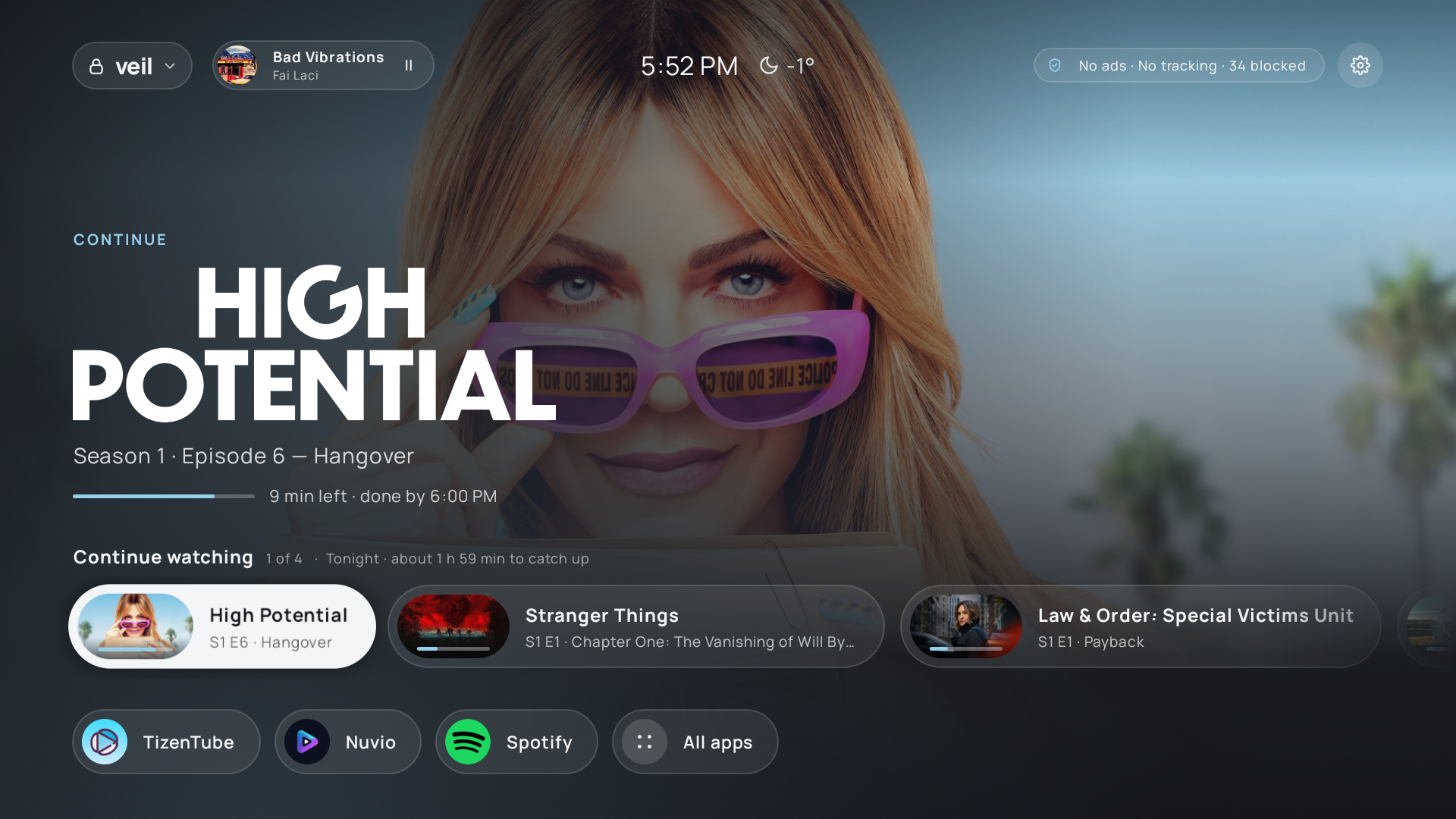
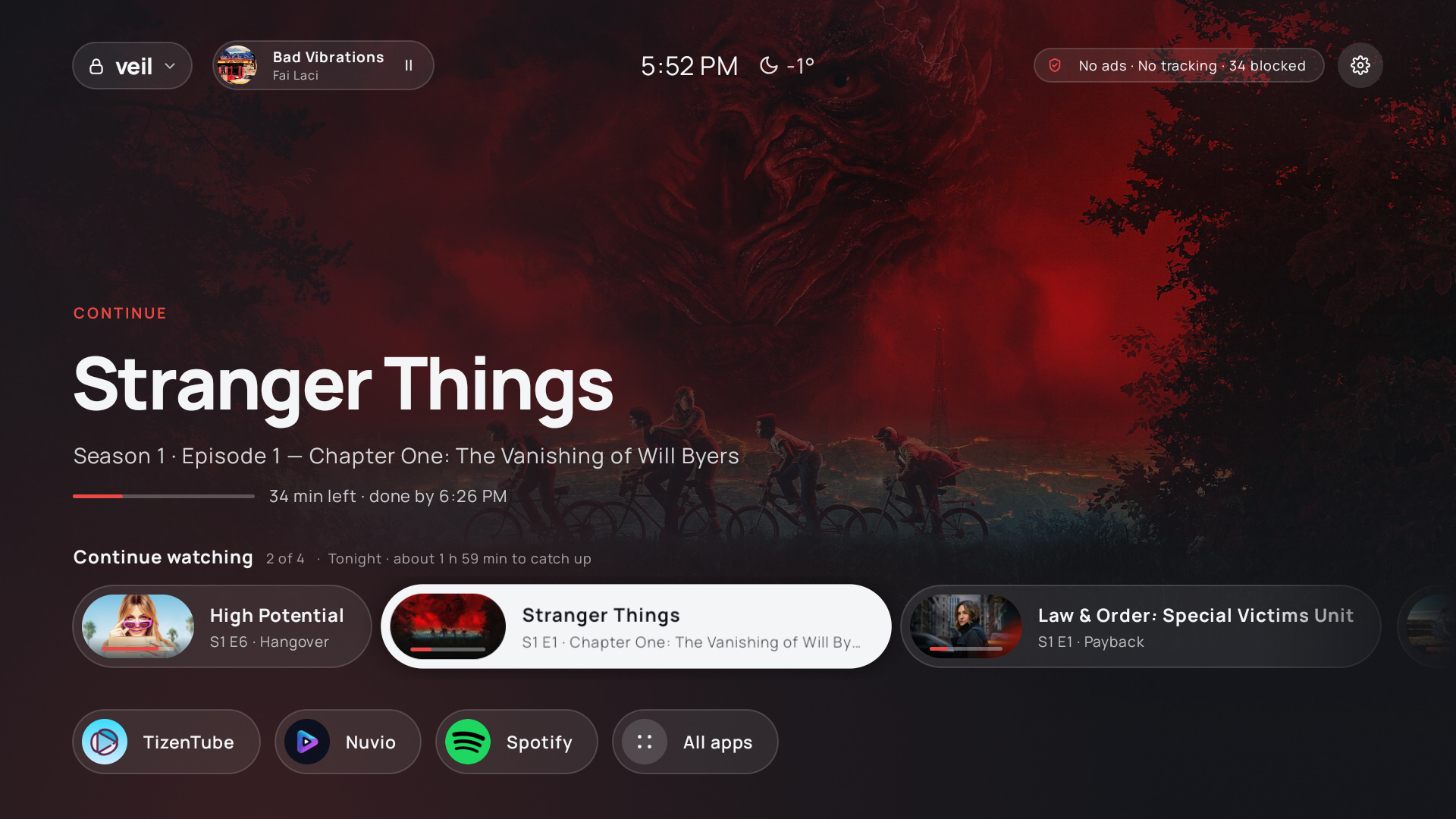
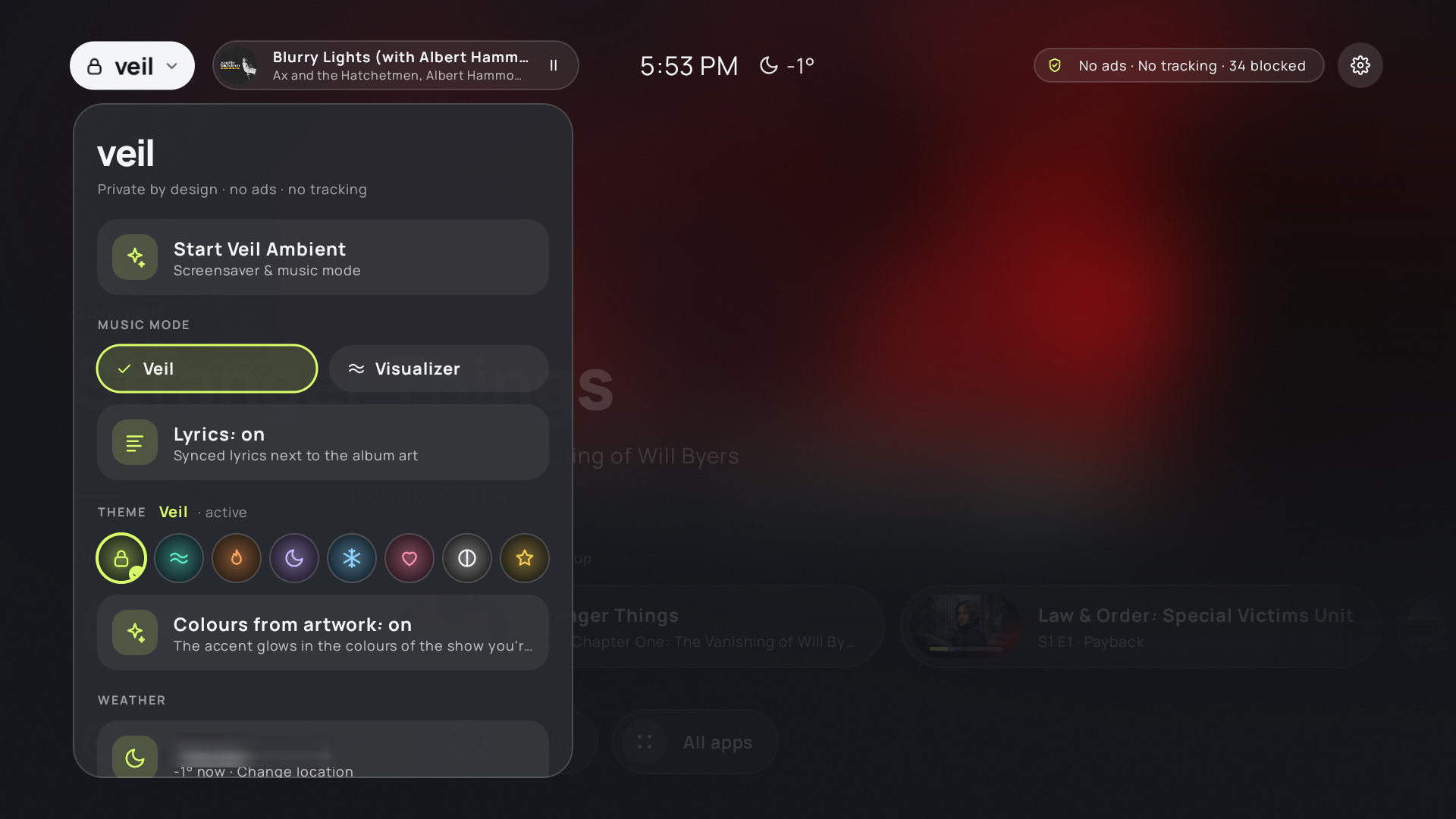
A calm, private home screen for Android TV. Veil replaces your TV's home screen with a clean, cinematic one: big artwork, what you're watching, your apps, and nothing else. No ads, no "recommended for you", no tracking.
 |  |
 |  |
 |  |
 |  |
More in screenshots/.
Installing: Veil is built from source with your own API keys. The easiest way is to give this repo to an AI coding agent (for example Claude Code) and ask it to follow
AGENT_INSTALL.md. It checks your TV, asks for your keys, backs up your settings, and confirms before it changes anything.
What you get
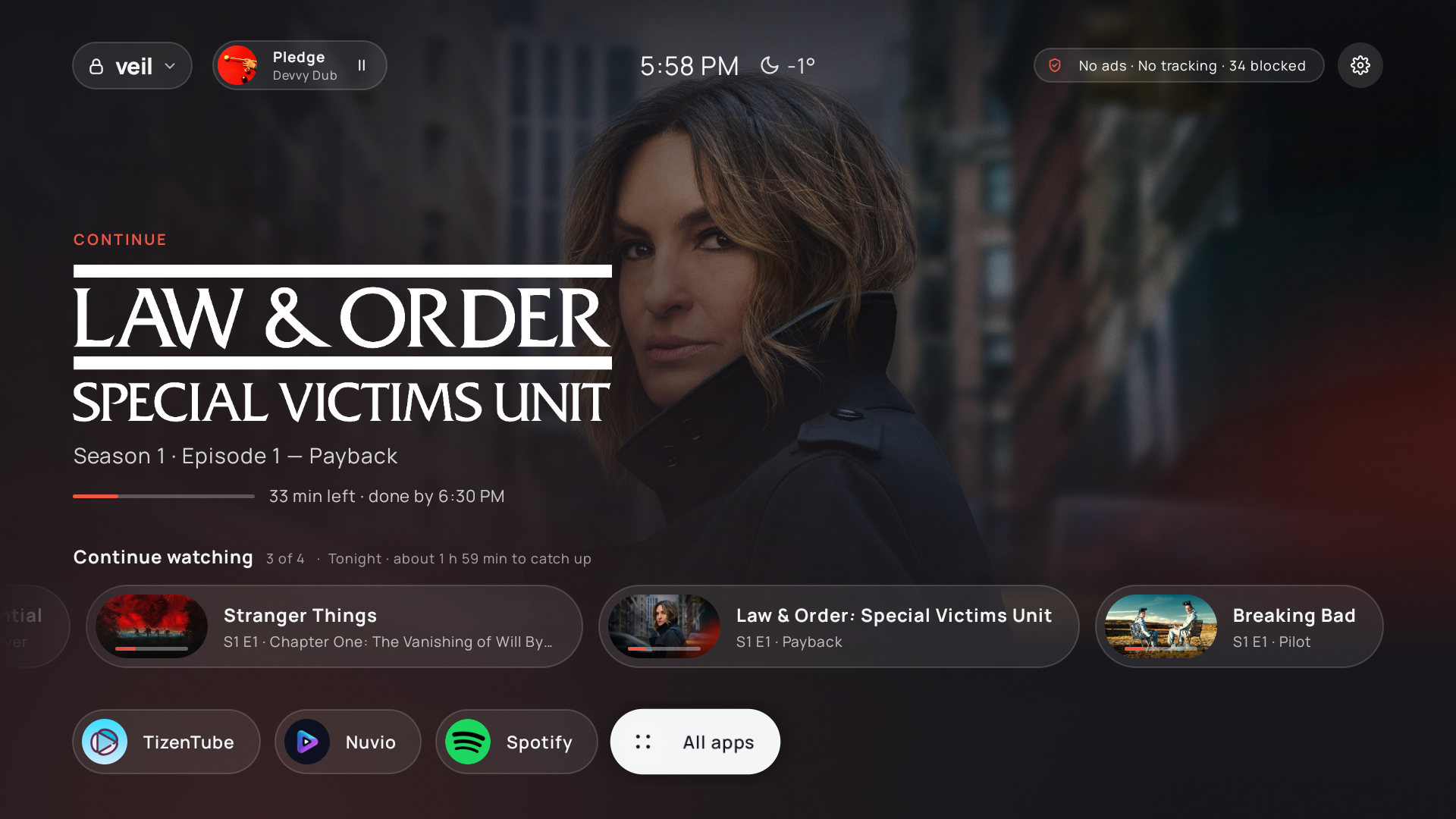
- Home: full-screen artwork of the show or film you're on, with its title logo and a slow pan and zoom. The accent colour follows the artwork. Rows for Continue watching (from your Trakt, Simkl, MDBList or WeTrakr account, your pick; opens the episode in Nuvio or Stremio, ready to stream) and your apps (pin and reorder them). Clock and weather at the top.
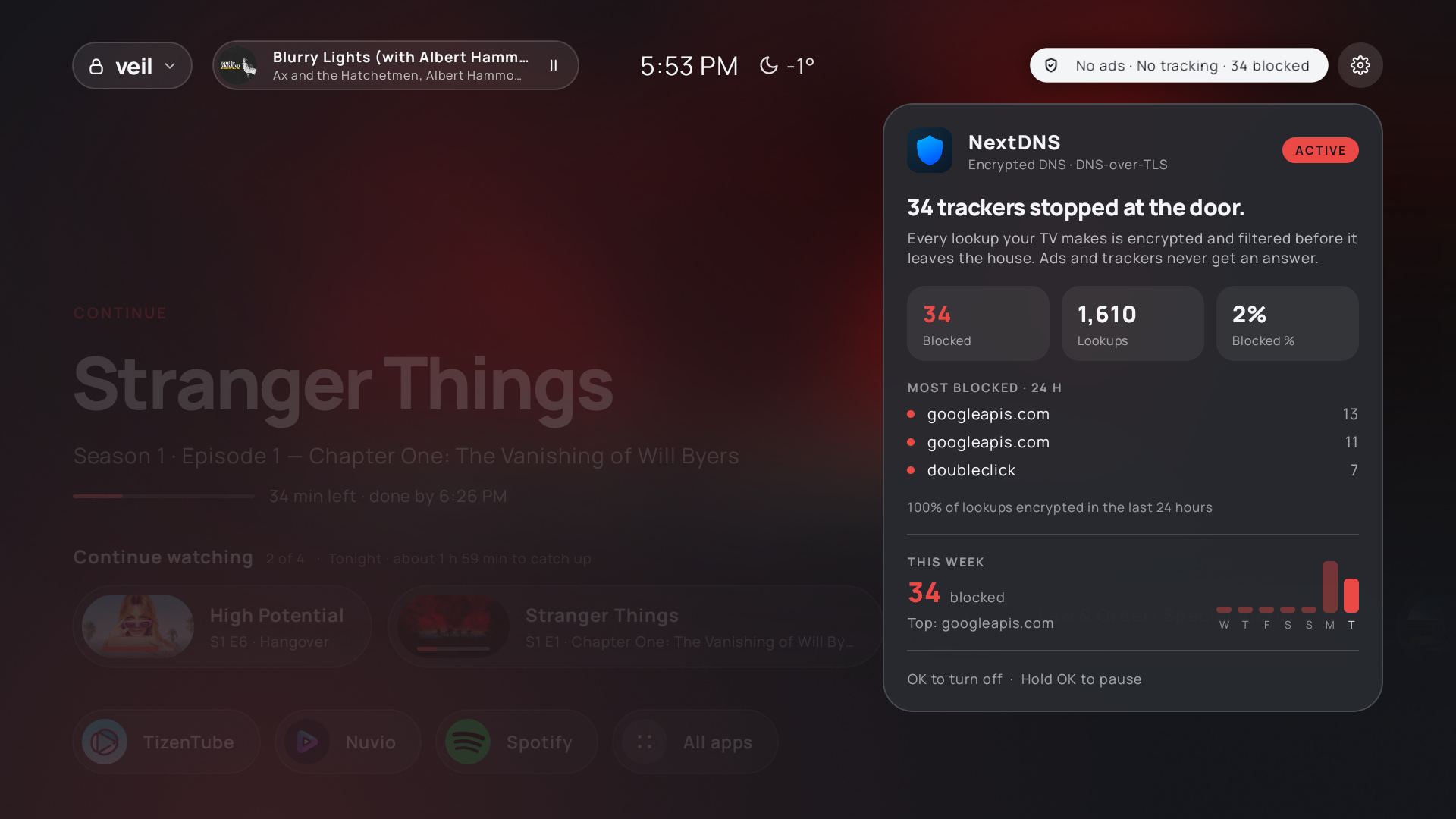
- Privacy pill: one switch for system-wide ad and tracker blocking via encrypted DNS (NextDNS if you have it, otherwise AdGuard DNS), with "pause for 15 minutes / 1 hour" for sites that break. With NextDNS it also shows how many trackers it blocked.
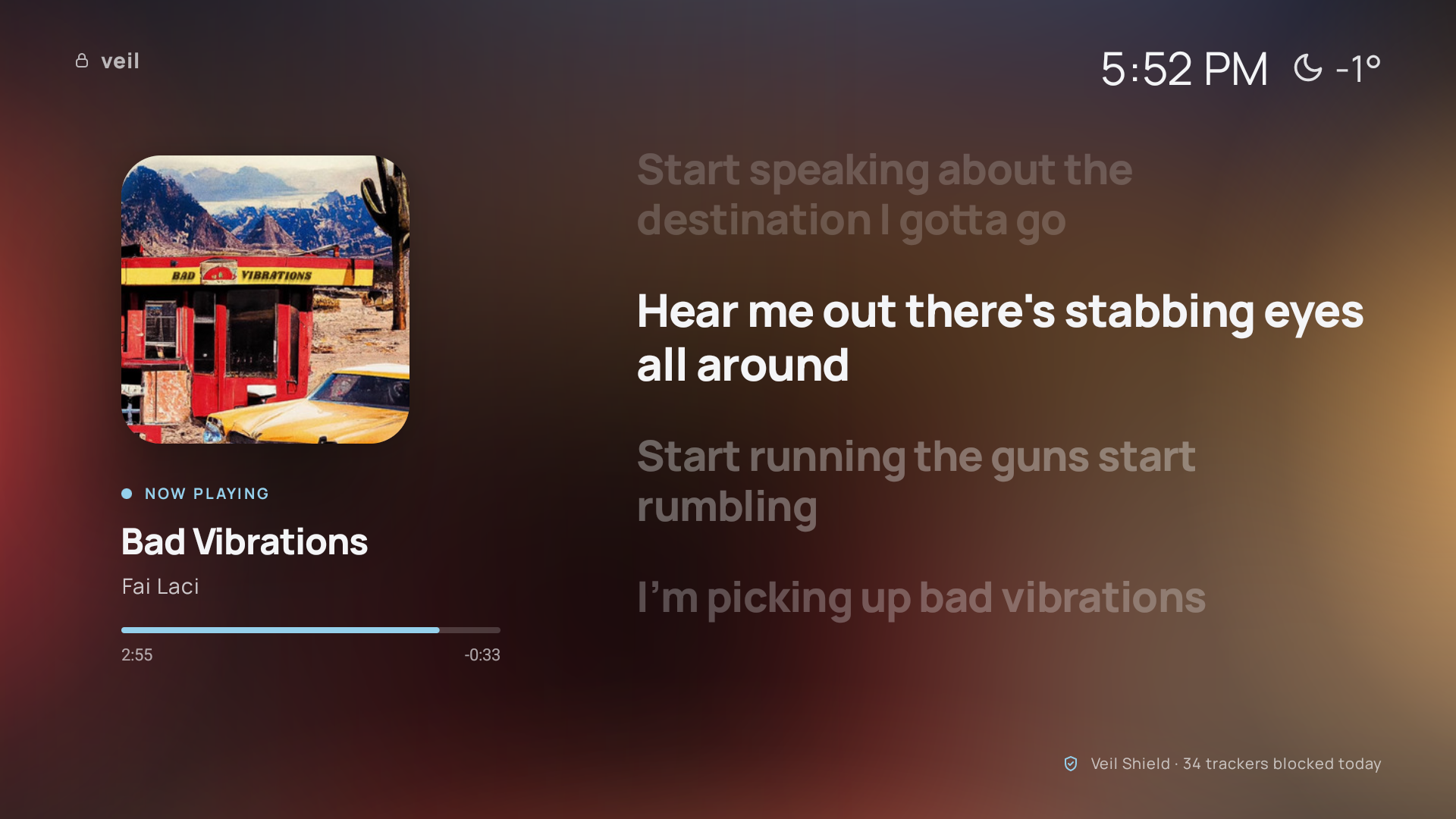
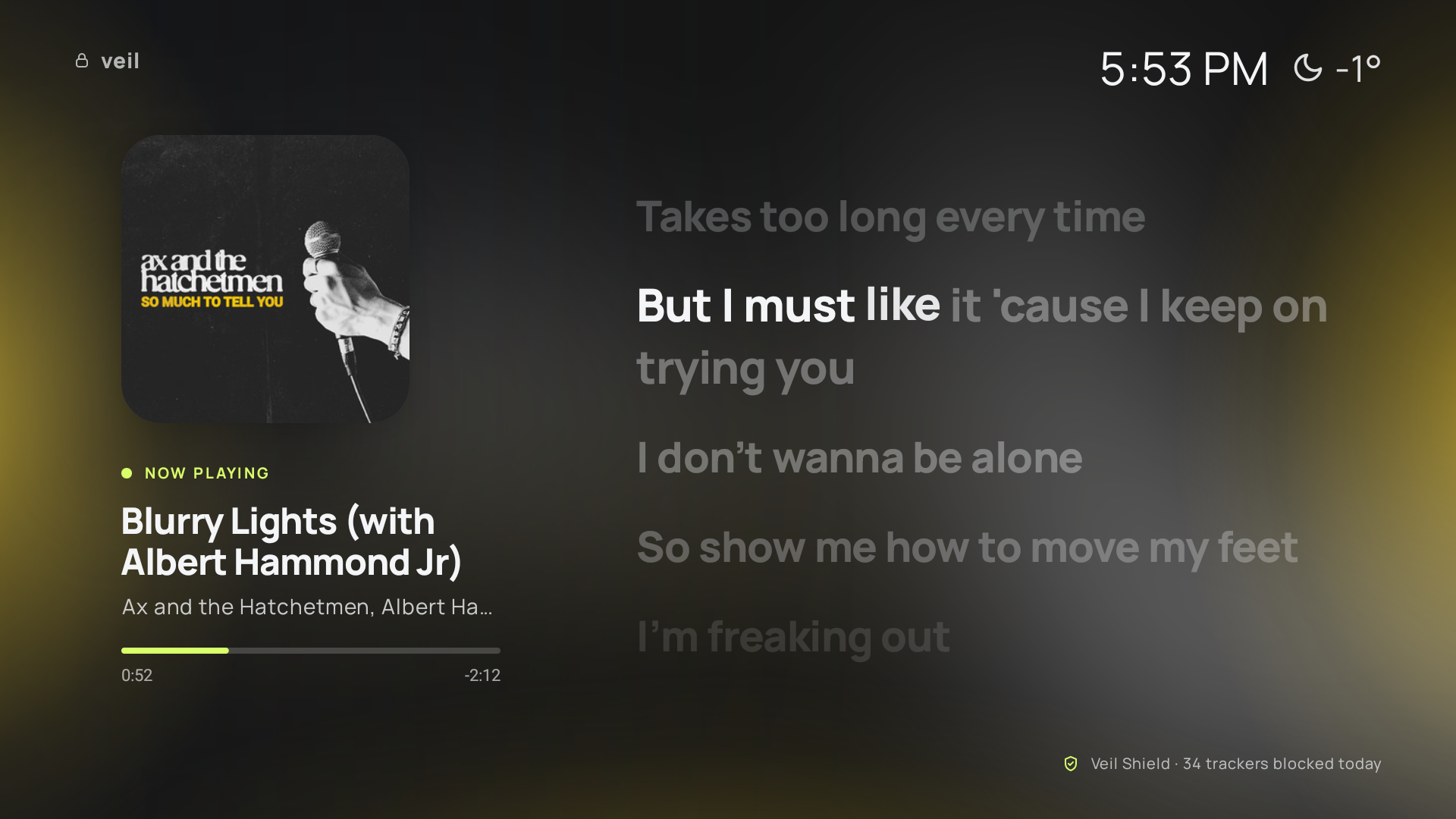
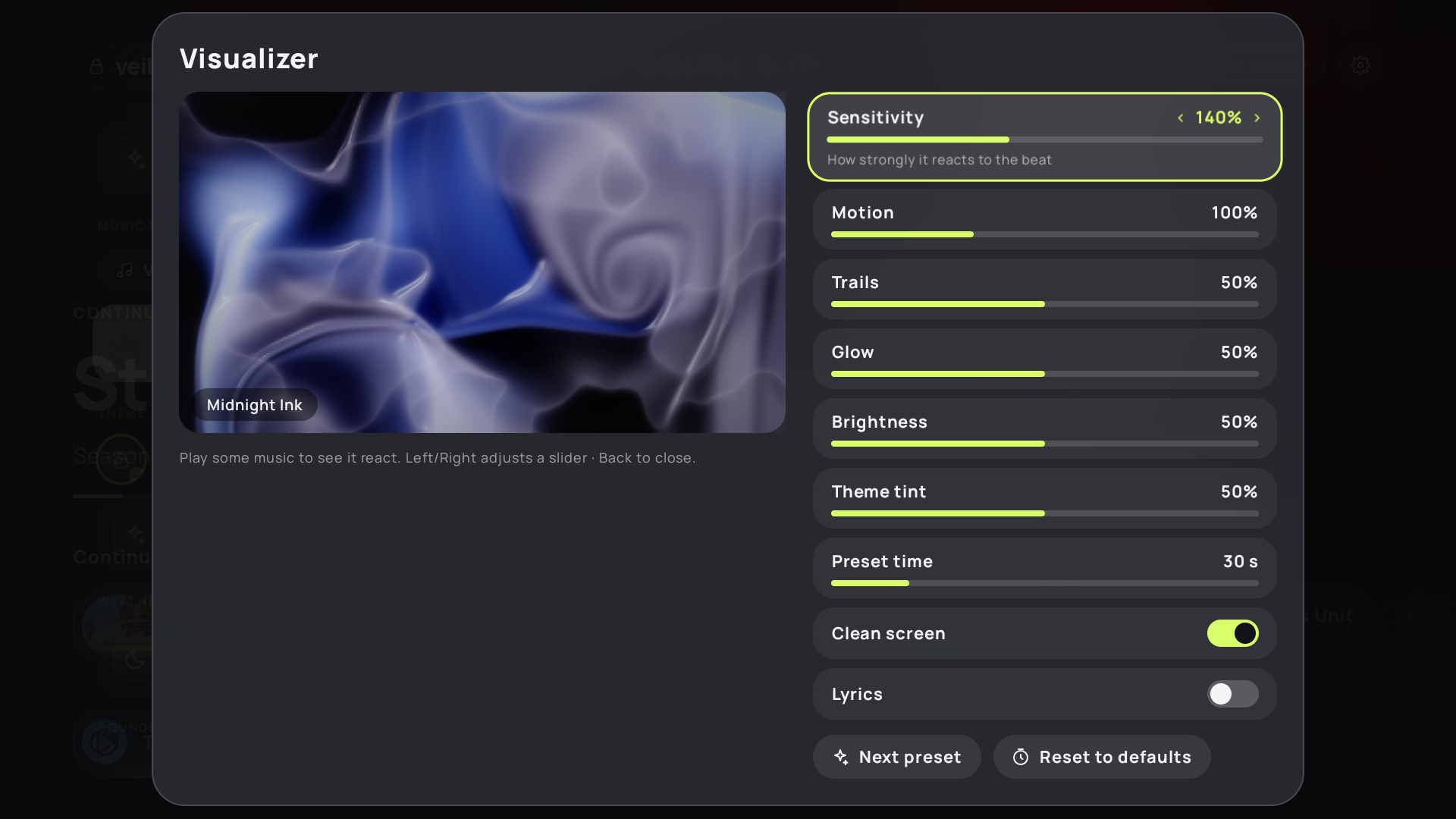
- Veil Ambient (screensaver): a slow slideshow of artwork. While music plays (Spotify etc.) it shows the album art with synced lyrics (word by word when available), or a full-screen music visualizer that picks out the kick, snare, hi-hats and vocals, locks onto the tempo and pulses on the beat.
- Themes, colours taken from the artwork, glassy cards that catch the light, soft UI sounds, seasonal touches (snow in December) and a wake-up intro when the TV turns on.
- Made for weak TV hardware: everything heavy is pre-rendered, and it was profiled on a real device.
Requirements
- An Android TV or Google TV, Android 9 or newer, controllable over ADB (developer options).
- A computer (Windows, macOS or Linux) with JDK 17 and the Android SDK command-line tools. Gradle comes
with the repo (
source/gradlew). - Your own free API keys (the repo contains none, apart from Veil's shared tracker apps):
| Key | Needed for | Where |
|---|---|---|
| TMDB API key | Artwork and title logos (required) | themoviedb.org → Settings → API |
| Trakt / Simkl / MDBList / WeTrakr client ID | Not needed: Veil's shared apps are built in. Optional, to use your own | trakt.tv/oauth/applications, simkl.com/settings/developer, mdblist.com/developer, wetrakr.com/profile/settings/api |
| NextDNS profile + API key | NextDNS blocking and the blocked counter (optional) | my.nextdns.io |
Keys go in source/keys.properties (copy keys.properties.example), which git ignores. Continue
Watching works out of the box through Veil's shared tracker apps (source/trakt.properties,
simkl.properties, mdblist.properties and wetrakr.properties, public on purpose: TV sign-in apps have no secret). Your
account is never put into the app: on the Connect screen you pick Trakt, Simkl, MDBList or WeTrakr and sign in
on your phone by scanning a QR code (or typing a short code), like any TV app. One tracker is connected at a
time. To use your own Trakt app instead, pick Use your own Trakt app on the Connect Trakt screen and
enter its Client ID with the remote, or set TRAKT_CLIENT_ID in keys.properties (likewise
SIMKL_CLIENT_ID / MDBLIST_CLIENT_ID / WETRAKR_CLIENT_ID).
Which app opens your shows is chosen once in the Veil menu (Play shows with: Nuvio or Stremio). Both open the exact episode, ready to pick a stream.
Permissions, and why
A TV can't ask for these with a pop-up, so they're granted over ADB (the install guide explains each one first).
| Permission | What it's used for | What it does not do |
|---|---|---|
| Home screen + Home-button helper (accessibility service) | Makes the remote's Home button open Veil | Sees only the Home key and which app is in front. It can't read the screen or other keys |
| Notification access | Reads "now playing" (song, artist, cover) from media apps | Ignores the contents of your notifications |
| Audio (RECORD_AUDIO) | The visualizer reads the TV's output loudness live | No microphone. Nothing is recorded, stored or sent |
| Secure settings (WRITE_SECURE_SETTINGS) | Turns the Private DNS blocking on and off; keeps the Home helper enabled | Nothing else |
| Internet | The services below | - |
Privacy
- No accounts, analytics, ads or Veil servers. Veil talks directly to these services over HTTPS:
- TMDB: titles of what you're watching, to get artwork.
- Trakt, Simkl, MDBList or WeTrakr (only the one you connect): reads your watch progress with your own login and, only when you ask, marks items watched or removes them from Continue Watching (clears paused progress; for shows, Trakt hides it from progress, Simkl moves it to "On hold", MDBList marks it dropped, WeTrakr puts it on hold, all undoable on the service). Veil checks the service's "last activity" at most once a minute and only fetches the part that changed (plus a refresh every few hours for new airings), as the services' sync guides ask.
- Open-Meteo: your chosen city, for the weather.
- LRCLIB: the song currently playing (title, artist, album, length), to get lyrics.
- NextDNS API: your blocked-tracker stats, if set up.
- GitHub: once a day, asks for the date of Veil's latest code change, to show "update available"
in the Veil menu. Nothing about you is sent. Switch it off in the Veil menu, or with
UPDATE_CHECK=falseinkeys.properties.
- Your tracker login stays on the TV, in Veil's private storage (excluded from Android backups). Switching to another tracker signs Veil out of the old one.
- DNS blocking is off until you turn it on. It uses Android's built-in Private DNS, so it covers every app on the TV, and it can be paused or switched off at any time.
Updating
When a newer Veil is out, a small dot appears on the "veil" button and the Veil menu says Update
available. Ask your AI agent to update Veil: it follows the Updating Veil section of
AGENT_INSTALL.md (pull, rebuild on the same computer, install over the old one). Your
permissions, sign-in and settings stay as they are.
Undo
The install guide has the agent save your TV's current settings and write an undo script for your TV
first. Running it brings back your original home screen, screensaver, DNS and permissions. Veil itself can
then be removed with adb uninstall dev.veil.launcher. Nothing on the TV's system is removed or modified.
Building
cd source
cp keys.properties.example keys.properties   # then fill in your keys
./gradlew assembleRelease                    # → app/build/outputs/apk/release/app-release.apk
See AGENT_INSTALL.md for installing, permissions and performance notes.
Credits
- Built with Claude Code. Kotlin + Jetpack Compose for TV.
- Artwork and logos from TMDB. This product uses the TMDB API but is not endorsed or certified by TMDB.
- Watch progress from Trakt, Simkl, MDBList or WeTrakr. Veil uses Trakt but is not endorsed or certified by Trakt. The four services' app icons are shown on the Connect screen only to identify them.
- Lyrics from LRCLIB, weather from Open-Meteo (CC BY 4.0).
- Manrope font, under the SIL Open Font License 1.1
(
licenses/OFL-Manrope.txt). - NextDNS, Trakt, Simkl, MDBList, WeTrakr, TMDB, Spotify, Nuvio and Stremio are trademarks of their owners. Veil isn't affiliated with any of them.
License
GPL-3.0. You're free to use, change and share Veil. If you share a modified version, it has to be open source under the same license.
Dự án tương tự
Khám phá các dự án và mô hình AI khác có sự tương đồng.
Debloat any Android or Google TV over Wi-Fi and get an Apple TV-style home.
A community-built phone app for Clean Your TV: clean up an Android TV from your phone. No laptop, no coding agent, nothing uninstalled.
A fast, ad-free home screen for Google TV, LG webOS and Samsung Tizen. One button to undo.
Synchronize your data across media servers, media agents and trackers. Keep your movies and shows in sync, no matter where you watch.
A list of Free Software network services and web applications which can be hosted on your own servers
🩵 A free, open-source app store for developers' releases on GitHub, Codeberg & Forgejo — browse, discover, and install apps with one click. Formerly GitHub Store.
A screensaver for Android TV devices including Google TV, Nvidia Shield, and Fire TV. Inspired by Apple TV's video screensaver.