
rueblose/alive
A fast, portable catalog for your Ableton Live projects and plugins. One .exe, no installer, no external DLLs.

Alive
A fast, portable catalog for your Ableton Live projects, plugins and samples.
One .exe. No installer, no external DLLs, no runtime to download.




Download · Features · Shortcuts · Build · Русский
Why
A few years of Live leave you with hundreds of .als files in dozens of folders, each project with
its own pile of backups. Explorer shows names and dates, and that's it. Alive opens the sets
themselves and shows what's inside: tempo, key, plugins, samples, and which version is the latest.
Features
Home
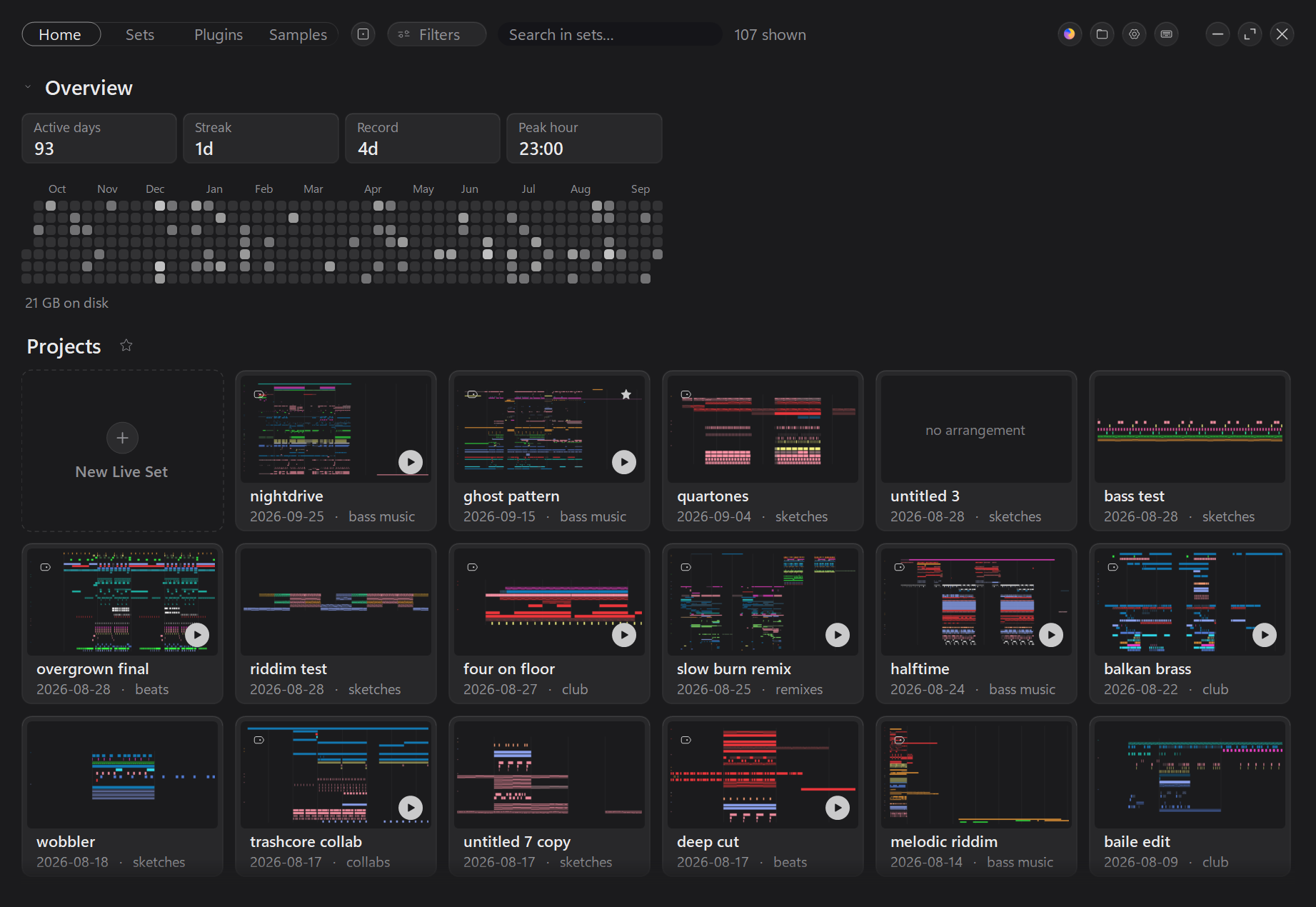
Every project is a tile with a picture of its arrangement, so you know a track by its shape before you read the name. A star keeps a project at the front; the play button plays the render next to the set.
Above the tiles is your year in Live: the days you worked, your current streak and your record, the hour you usually start, and how much the whole library weighs. Click a day to see which projects you saved on it.
Sets
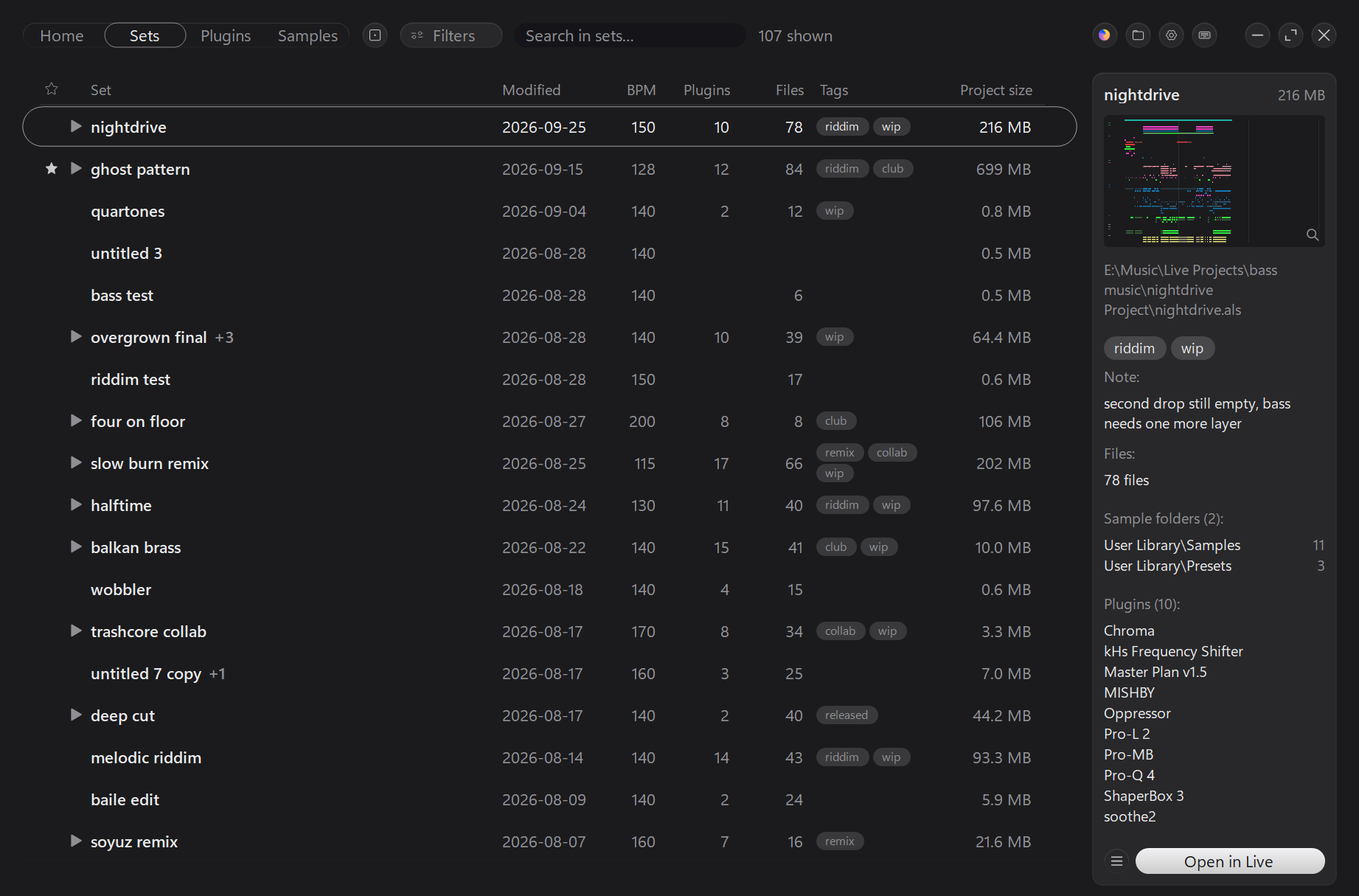
- Everything about a set at a glance: tempo, key, Live version, tracks, plugins, files, and the size of the whole project folder.
- One row per project.
v1,finalandfinal 2fold into one line; the counter at the end unfolds it. - Filters (
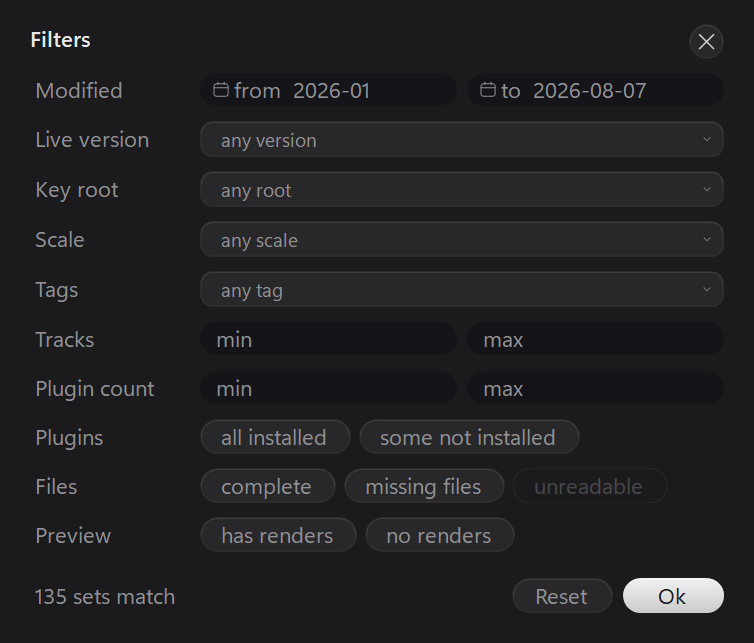
F): date, Live version, key, number of tracks and plugins, missing files, renders. Search withCtrl F. Pick the columns you want. - Tags and notes (
Ctrl T). They belong to the project folder, so they survive the dayfinal 3.alsappears. - New sets show up on their own, no rescan needed.
Plugins
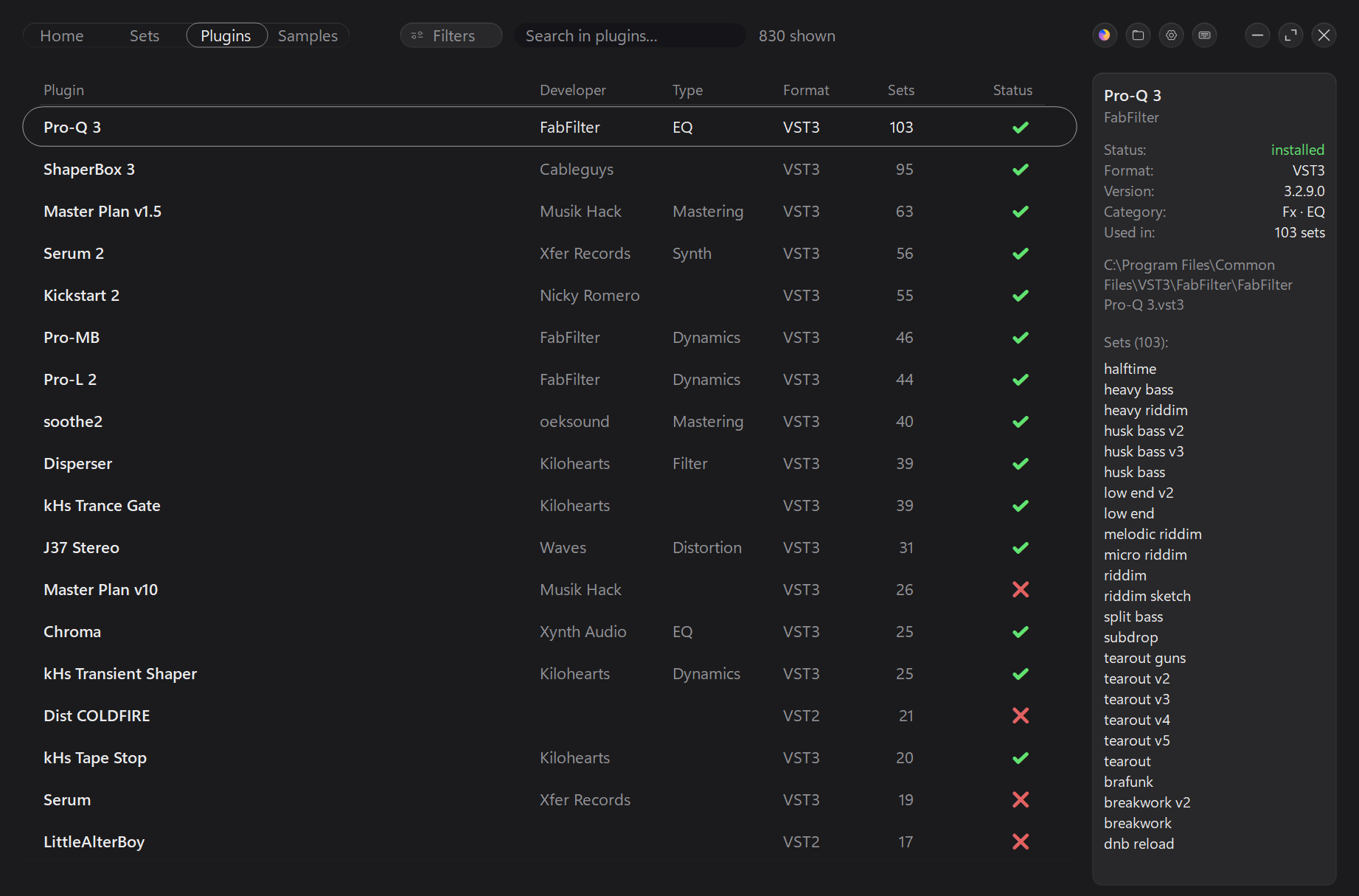
All your plugins in one list (Ctrl 3): who makes each one, how many sets use it, and whether it's
still installed. The list comes from Live's own plugin database, or from your VST2/VST3 folders if
you prefer.
Samples
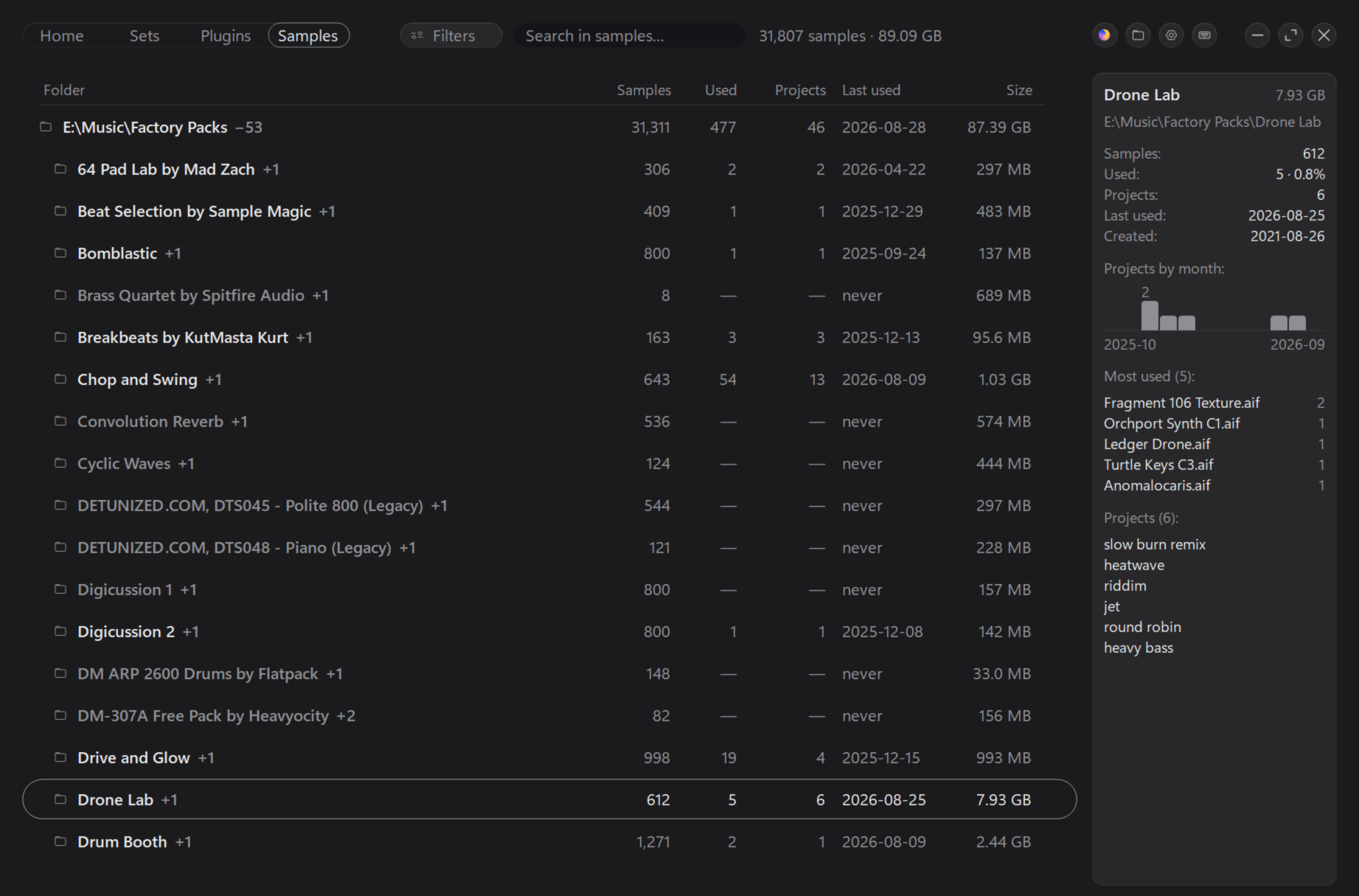
Which packs you actually use, and which you downloaded and never touched (Ctrl 4). Add your sample
folders, or take the ones Live already knows about.
- Usage is counted by projects: ten versions of one track count once.
- Never used: the biggest folders you never took a single sound from.
- Most used: your go-to sounds.
- Duplicates: the same file sitting in several places, biggest waste first.
- Click a sample to hear it, like in Live's browser, and drag it straight into Live.
→plays the selected one, a click on empty space stops it, and the slider under its wave sets how loud. - A set's panel on the Sets tab lists the sample folders it uses; a click opens that folder here.
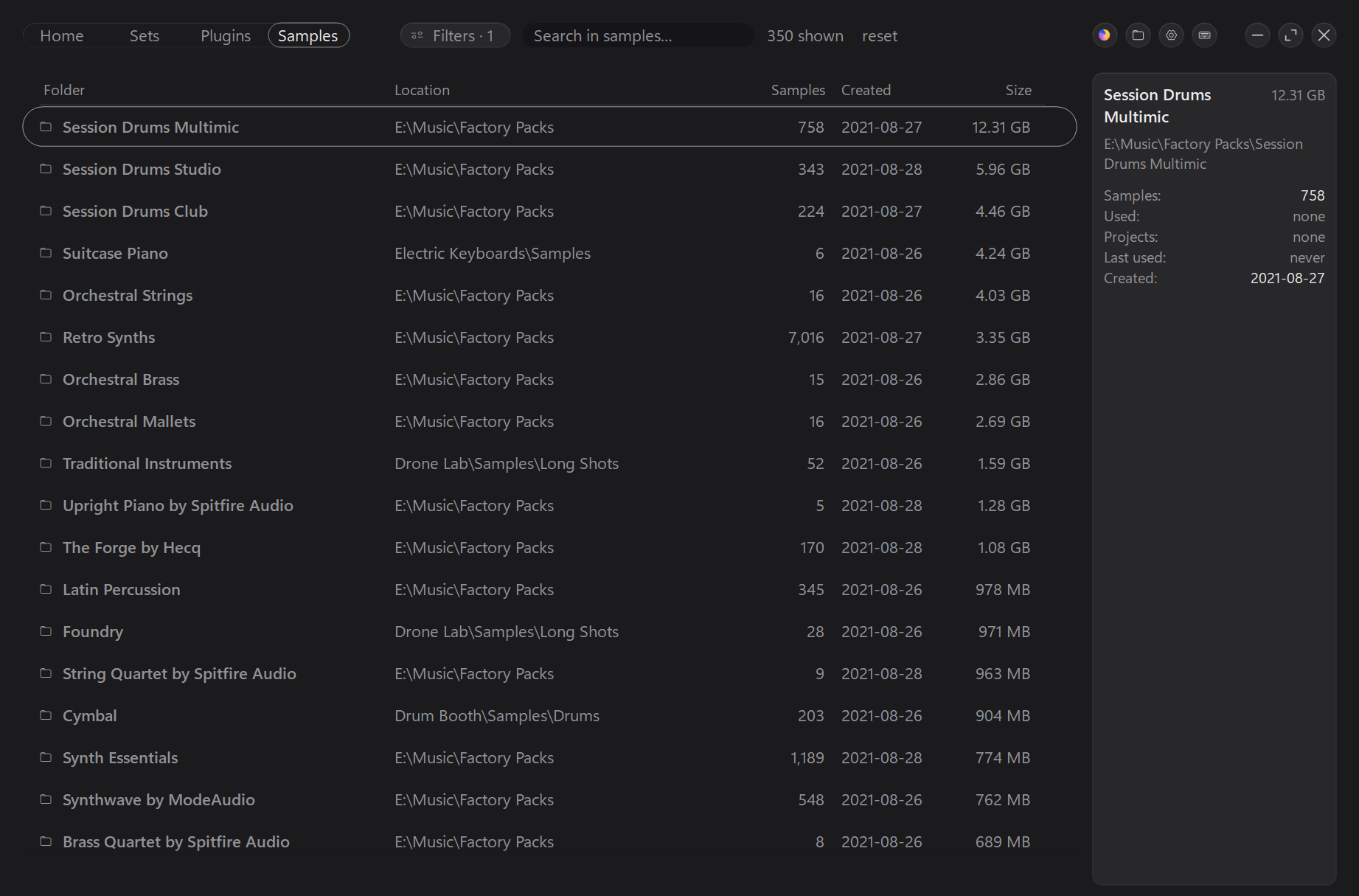
Alive never moves or deletes samples: that would break every set that uses them. It shows you what's safe to clean up, and you do the cleaning in Explorer.
Rescue
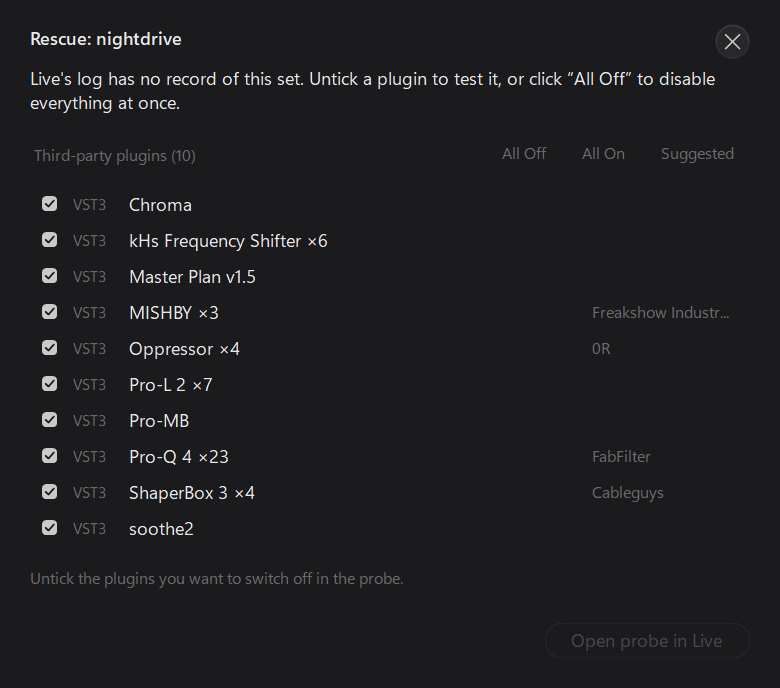
A set won't open? Alive reads Live's log and names the plugin it crashed on. If the log says nothing, Alive finds the culprit itself by switching plugins off in a copy of the set until it opens. The original set is never touched.
Export
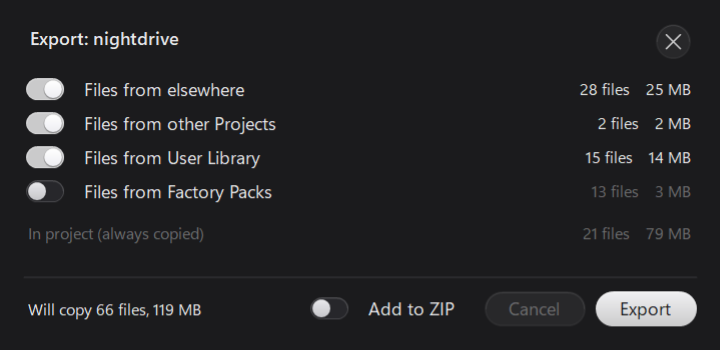
Gather everything a set needs (your samples, files from other projects, User Library, packs) into
one folder or .zip, like Live's Collect All and Save. Before you start, you see how many files
and gigabytes each group adds. The original set stays as it is.
Preview and player
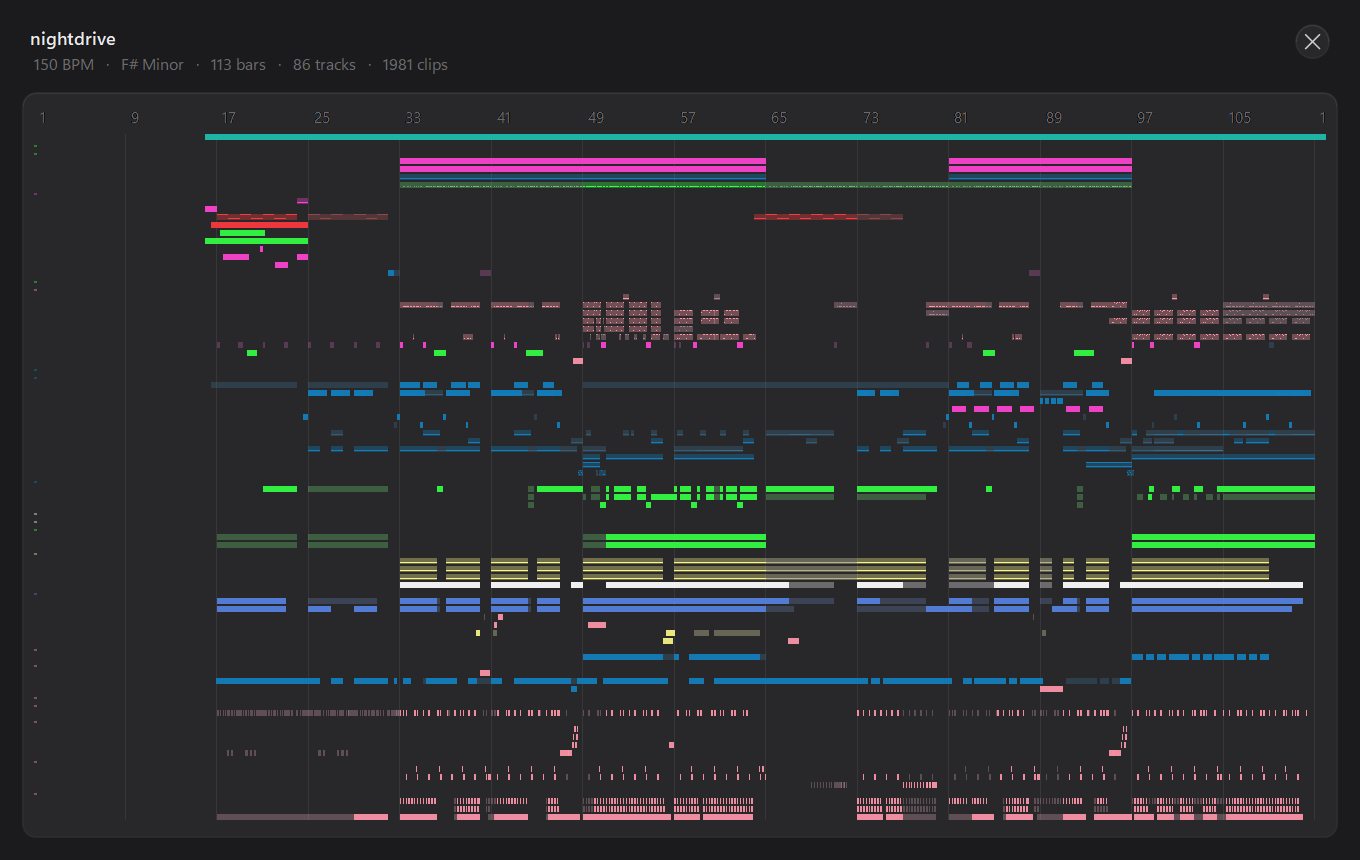
Ctrl Space shows the whole arrangement as one picture, in Live's clip colours, with the track
names. It moves as Live's arrangement does: the wheel scrolls the tracks, Shift + wheel the time,
Ctrl + wheel zooms, Alt + wheel sets the track height, and the middle button drags. Space
plays the render lying next to the set; you can pick which file counts as the main one.
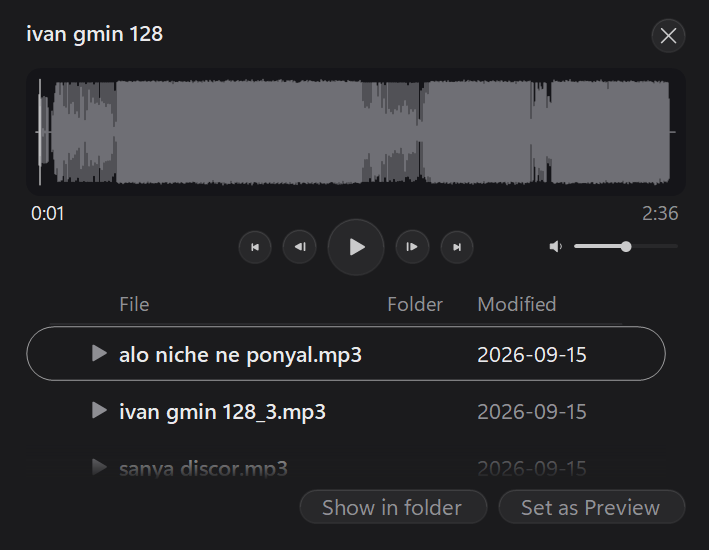
Stat
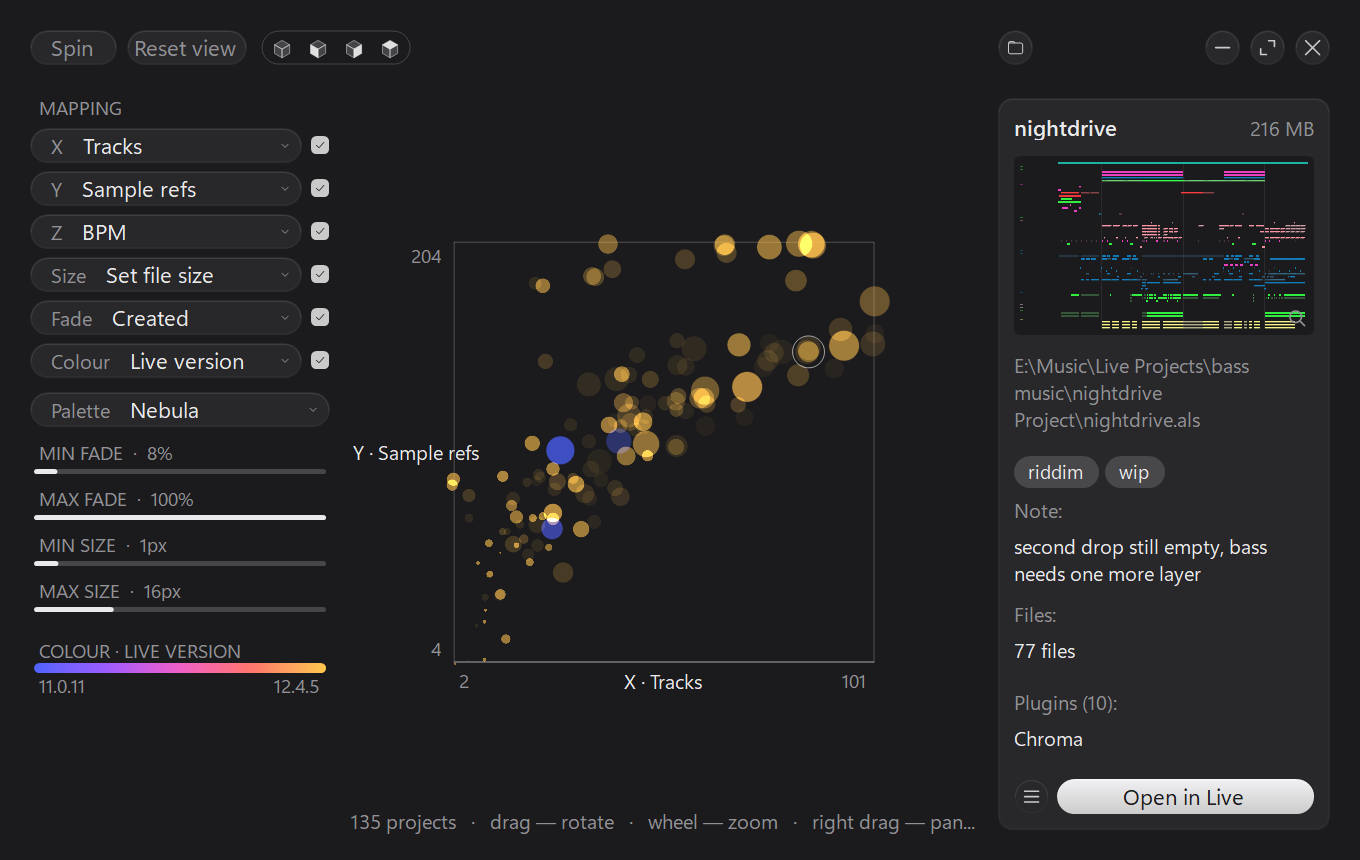
Your whole library as a cloud of dots, one per project. You choose what the axes, the dot size and the colour show: tempo, number of tracks, year, and so on.
Settings
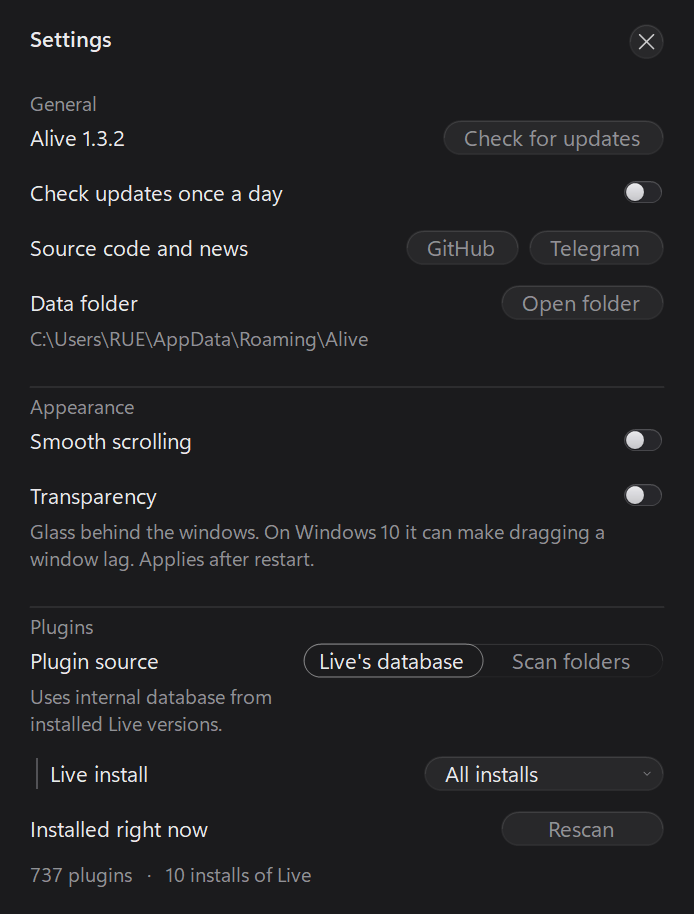
Ctrl , or the gear: the interface scale (75, 100 or 125% on top of the Windows one), smooth
scrolling, transparency and the update check (all three start off), and where the plugin list comes
from.
Updates. Alive goes online only when you ask: press Check for updates, or turn on the daily check and a dot on the gear will tell you about a new version. Nothing about you or your library is sent.
The same window links to this repo and to the developer's Telegram channel, t.me/RueBlose, and opens the data folder.
Download
Grab the archive from Releases.
- Unpack it.
- Run
Alive.exe. - Point it at your Ableton project folders and press Scan.
Needs .NET Framework 4.7+, which comes with Windows 11 and with Windows 10 since version 1703.
Keyboard shortcuts
F1 | Help | Enter | Open set in Live |
Ctrl 1 … Ctrl 4 | Home / Sets / Plugins / Samples | Shift Enter | Show in Explorer |
F | Filters | Space | Play render or sample |
Shift F | Scan folders | Ctrl Space | Arrangement preview |
Ctrl F | Search | Q | Pin set |
Ctrl , | Settings | Ctrl T | Tags and notes |
F11 / Ctrl M | Maximize / minimize | Ctrl R | Rescue a set |
Ctrl Q | Quit | Ctrl E | Export a set |
F5 | Rescan | ||
Ctrl N | Launch Live |
If something goes wrong
- "Windows protected your PC". The app isn't code-signed, so SmartScreen warns about it. Click More info → Run anyway.
- Your antivirus flags it. Alive copies files and writes archives, and some scanners find that suspicious. It's a false positive: every line of the code is in this repo and builds with one command. Add the folder to the exclusions.
- It closes right after starting. If you downloaded it or got it in a messenger, right-click
Alive.exe→ Properties → tick Unblock → OK. - No plugins, or only some. Live must have run at least once, since the list comes from its database. Still empty? In Live, go to Preferences → Plug-Ins → Rescan, or tell Alive to scan your VST folders in Settings.
- Anything else. Send
%APPDATA%\Alive\alive.log: it says what happened during the last run.
Data folder
Everything Alive remembers lives in %APPDATA%\Alive (Settings → Data folder). It writes
nothing anywhere else, not even to the registry, so deleting the folder resets it completely. Save
activity.cache and notes.cfg first: they can't be rebuilt.
| File | What's inside | If you delete it |
|---|---|---|
settings.cfg | Settings: folders, columns, window size and position | Back to defaults |
index.cache | What Alive read from your sets, so it doesn't reread every .als | Rebuilt by the next scan |
samples.cache | Your sample library | Rebuilt in a minute or two |
activity.cache | Your year of work shown on Home | Gone for good |
notes.cfg | Your tags and notes | Gone for good |
home.cfg | Starred projects | The stars are gone |
previews.cfg | Which render plays for each project | Picked automatically again |
nebula.cfg | Stat settings | Back to defaults |
thumbs\ | Arrangement pictures for the Home tiles | Drawn again when needed |
alive.log | What happened during the last run | Nothing |
probes.txt | Rescue's temporary copies, so they get cleaned up after a crash | Leftover *.alive-probe.als files stay behind |
*.cfg.bak | The previous version of each .cfg, kept by every save. If a file gets damaged, rename its .bak back | Nothing |
Want to keep all this somewhere else, like next to a portable copy? Set the ALIVE_HOME environment
variable to a folder before you start Alive.
Building from source
No IDE needed: Alive builds with the C# compiler that comes with .NET Framework 4.x, which is already on your machine.
build.cmd
You get bin\Alive.exe.
Documentation
FORMAT.md: how the .als format works, as far as 427 real sets showed. It's why Alive
can read a set without opening Live.
License
MIT.
Similar Projects
Discover other similar projects and AI models.
A Discord Rich Presence app for several DAWs like FL Studio and Ableton
Ableton Live Set tools, or simply als-tools, brings easy-to-use search, listing, counting and many other capabilities over your Ableton Live Set files (*.als)
The open-source Ableton-style music composer for the web.
Connect your AI client to Ableton Live 12. Shape notes, instruments, effects and arrangements; compare audio before keeping a change. 474 tools across 57 domains.
Control Ableton Live from an AI assistant. 156 tools for building, editing MIDI, mixing, and mastering in a running Live set. Typed, tested on Live 12.
A modern file manager that helps users organize their files and folders.
Windows Calculator: A simple yet powerful calculator that ships with Windows